
Email Manager
Deal with all of your mailboxes without any problem
 Watch Video
 View Demo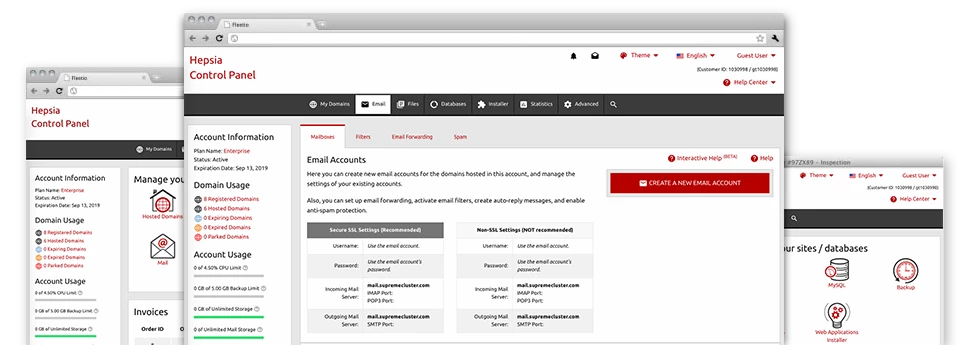
Even though using e–mail messages is a hassle–free process, handling the mailboxes for a web site can be quite a cumbersome procedure. If you don’t have a convenient user interface, just like our Email Manager that will help you complete the task. It arrives with a considerable amount of integrated handy software tools that will help you accomplish advanced tasks within a few clicks of the mouse. Have a look at exactly what our Email Manager is capable of doing for YOU!
Anti–Spam Protection
Fight spam with a mouse–click


Email Forwarding
Direct messages from one mailbox to another one
Email Filters
Put your email address in order


Email Protection
DomainKeys and also SPF protection for your email address
Email Auto–Configure Solution
1–click installation of e–mail accounts on your personal computer


Webmail
Access your e–mail address by using a browser
Support
Contact Our World Class Support Team 24/7
Our dedicated team is available around the clock to assist you with any issues or questions
Call: (307) 289-7100
F.A.Q.
Frequently Asked Questions
What services do you offer?
At eTesLa Technologies, we provide a wide array of services including web development, e-commerce solutions, digital marketing, SEO optimization, brand strategy, and ongoing maintenance & support.
How do I get a quote for my project?
Getting a tailored quote is easy! Just fill out our contact form, and we’ll respond with a customized proposal to fit your project needs.
Do you provide ongoing support?
Absolutely! We offer comprehensive maintenance and support services to ensure that your digital solutions continue to perform at their best.
Can you assist with branding?
Absolutely, our brand strategy services are designed to help establish a strong and cohesive identity for your business.
How do I get started?
Contact us through our website, and our team will guide you through the initial steps to kickstart your project.
What is your approach to SEO?
We focus on boosting your website’s visibility through strategic SEO practices to attract more organic traffic.
How do you ensure project success?
Our team employs strategic planning and innovative design to deliver solutions that meet your business goals.
What makes eTesLa Technologies different?
Our commitment to innovation and customer satisfaction sets us apart, ensuring that we deliver exceptional digital solutions.
What industries do you personalize in?
We proudly collaborate with a diverse range of industries, including retail, web hosting service, digital marketing, and technology, delivering tailored solutions that meet their unique challenges.
Satisfaction Guaranteed
24/7 Award Winning Support
Our dedicated team is available around the clock to assist you with any issues or questions
30 Day Money Back Guarantee
Try our 30 day money Back Guarantee and feel like a King. Full access for 30 Days to test and publish your Site, no questions asked.
30 Days of Free Hosting
On all our annual service we provie a 30 days Free Hosting service, exept mentioned differently on each of our specific packages!